
·1 min read·Gretio
Gretio iOS Data Logs
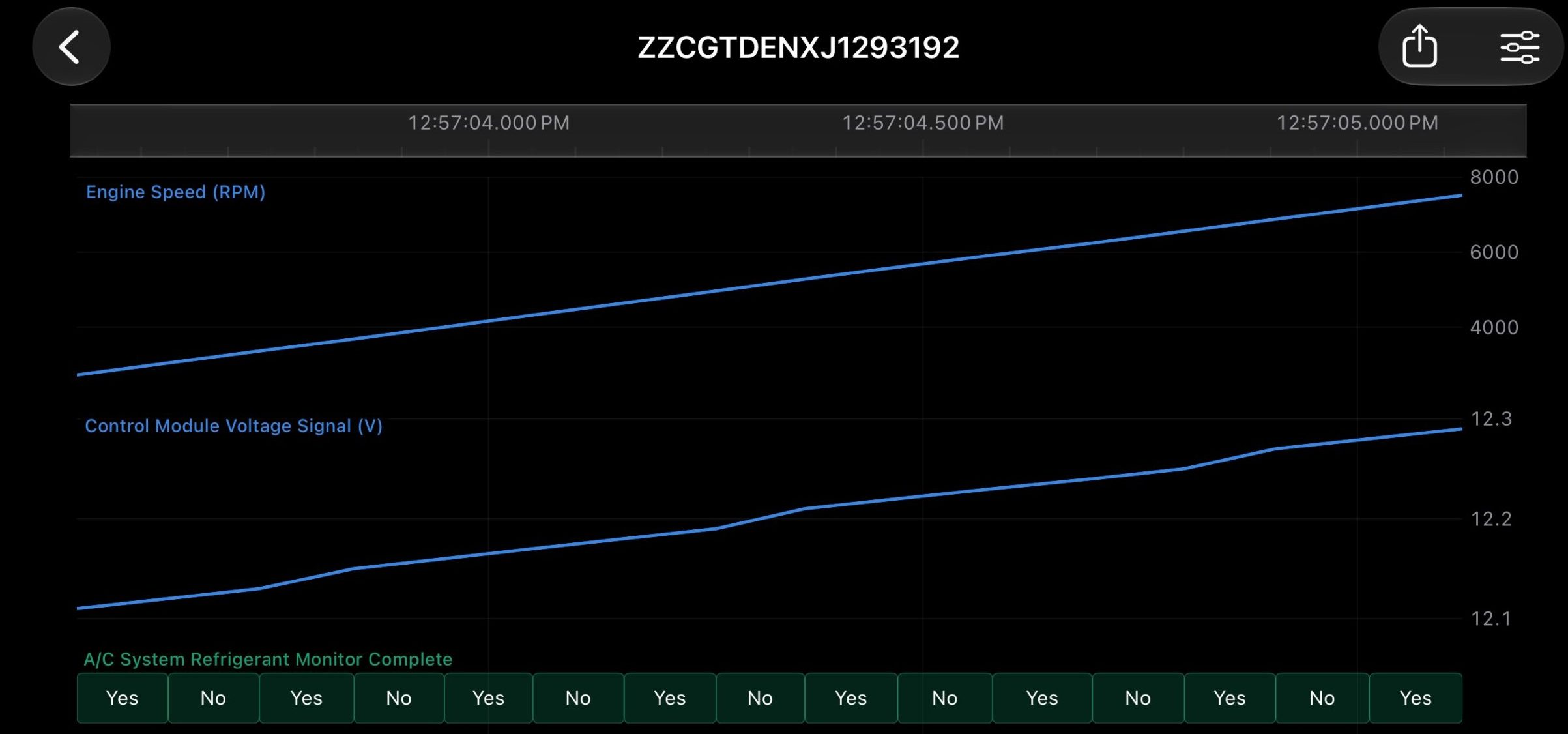
It’s about time. Coming soon (after the ControlV2 release).
Charts
A video is worth a thousand pictures. The charts and gesture system are built from the ground up to support analysis on the go while being efficient at displaying millions of data units.
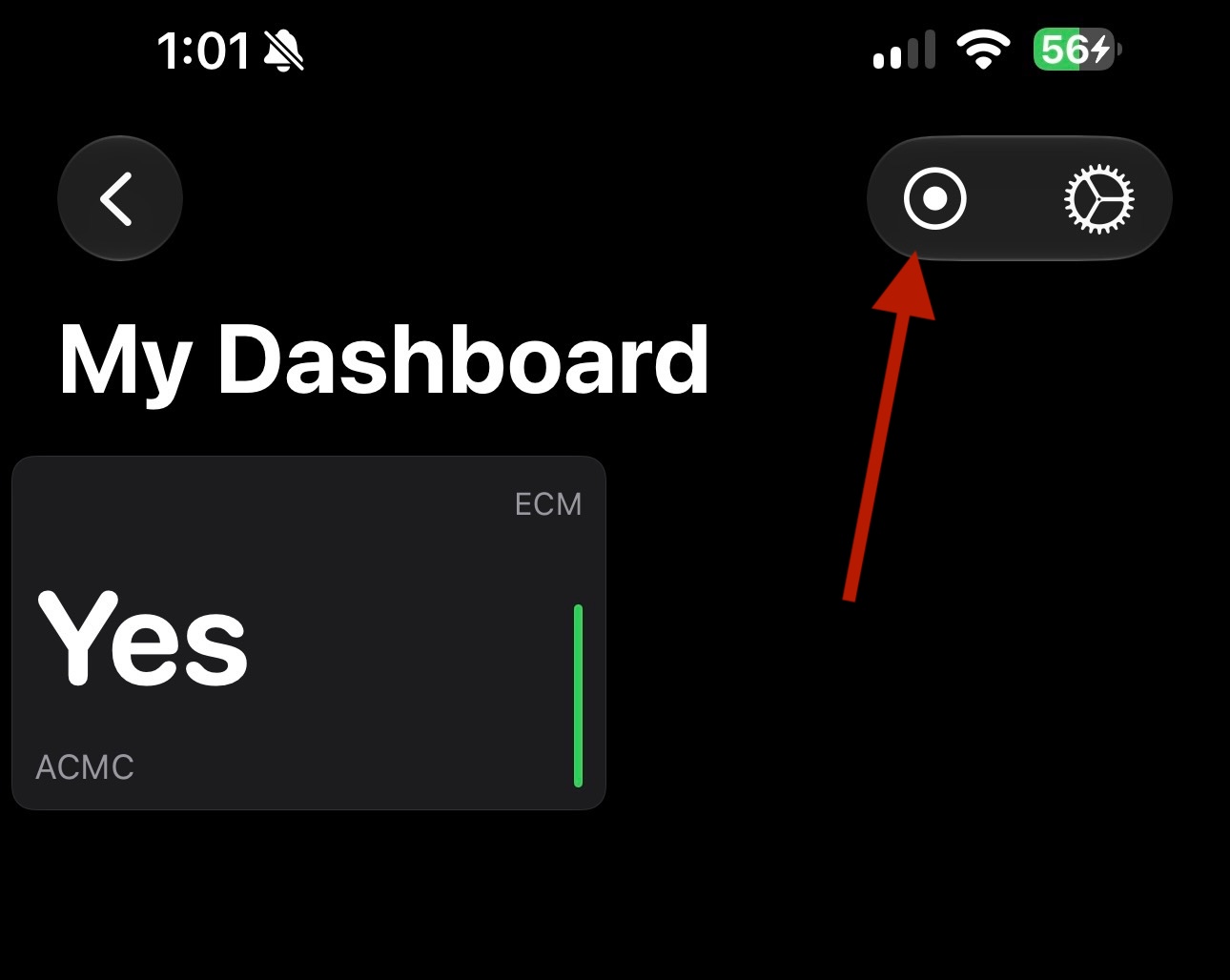
Starting a Record
Just tap the little recording icon in a dashboard. And you are now recording!
Open Log Format
Gretio’s log format is byte for byte identical to Gretio Android, meaning any existing workflow is compatible. Gretio’s log format is simple, open, and can even be easilly parsed by AI.
Specifically, the log format is a zip file with 2 csv files.
- A“meta” file, containing metadata about the vehicle and various PIDs such as their name, ID, and units
- A “data” file containing the actual log measurements sorted by “TIME,ID,VALUE”. TIME is a unix timestamp in milliseconds.
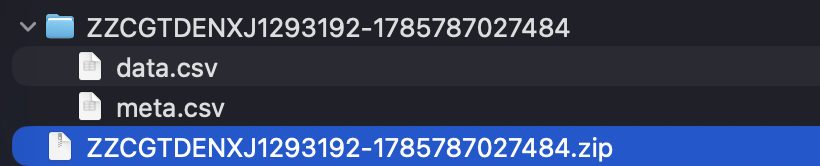
Logs can be exported in app (i.e. emailed, shared in iMessage, etc…) or simply exported directly from the Files app.